
Whether it’s vehicles, people, or inventory, managing traffic is more complex than ever. Congestion, long queues, and inefficient layouts can hurt operations, frustrate customers, and cost businesses money.
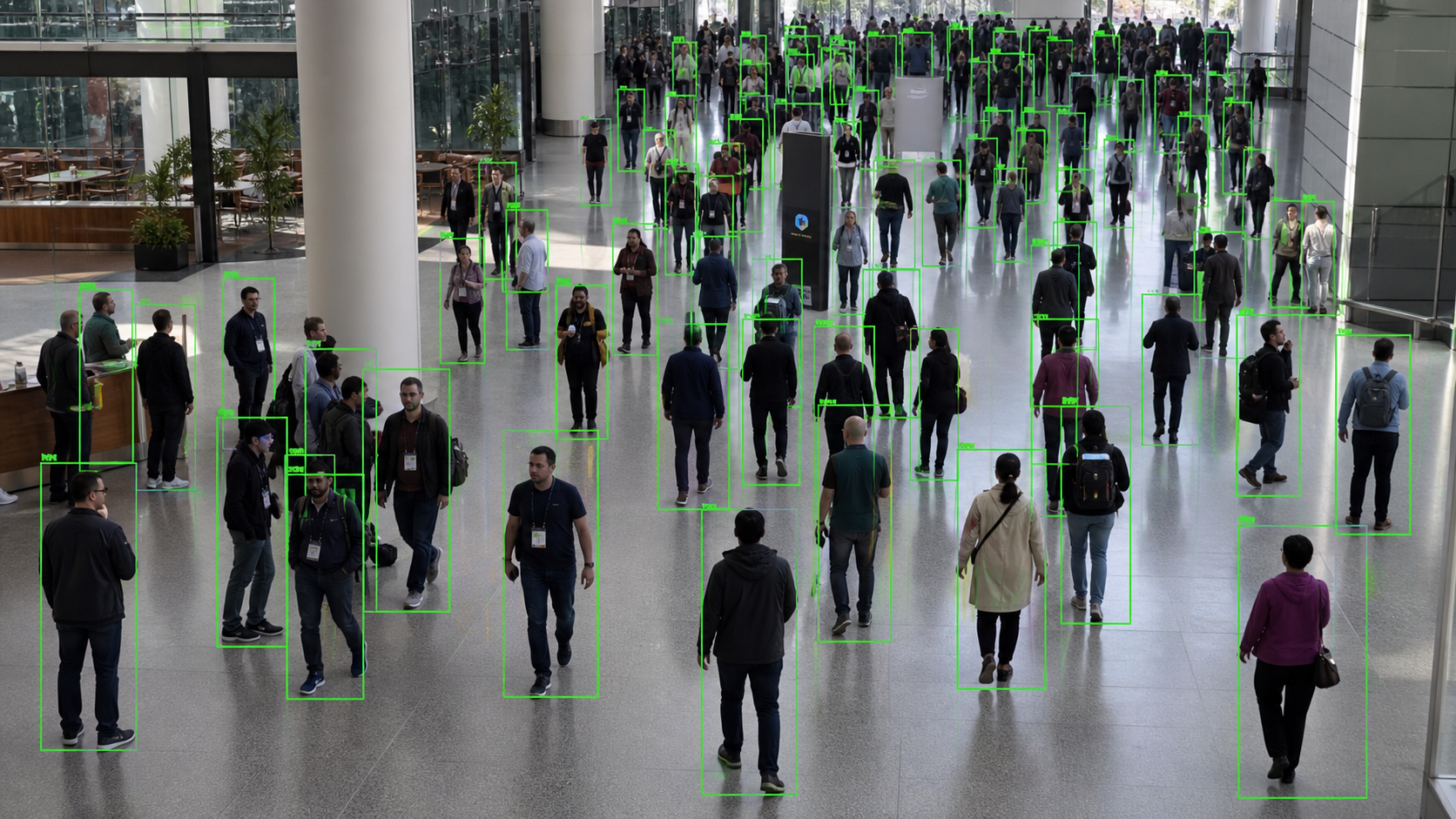
EyesOnIt helps VMS providers and system integrators turn existing video streams into actionable traffic intelligence. Measure people, vehicles, and objects; monitor queues and occupancy; and identify recurring congestion without requiring customers to replace their current camera infrastructure.
Works with existing RTSP video streams
• Flexible on-site and self-hosted deployment
• Integrates with established VMS environments • Official Genetec Partner
Turn hours of video review into minutes. Find the exact segment using natural language text descriptions, face recognition or an existing image to pinpoint people and events across archived video from all cameras.
Eliminate false alarms by validating motion with natural language, face recognition, image similarity and object tracking. Fewer false alarms reduce monitoring workload and prevent alarm fatigue while maintaining strong coverage.
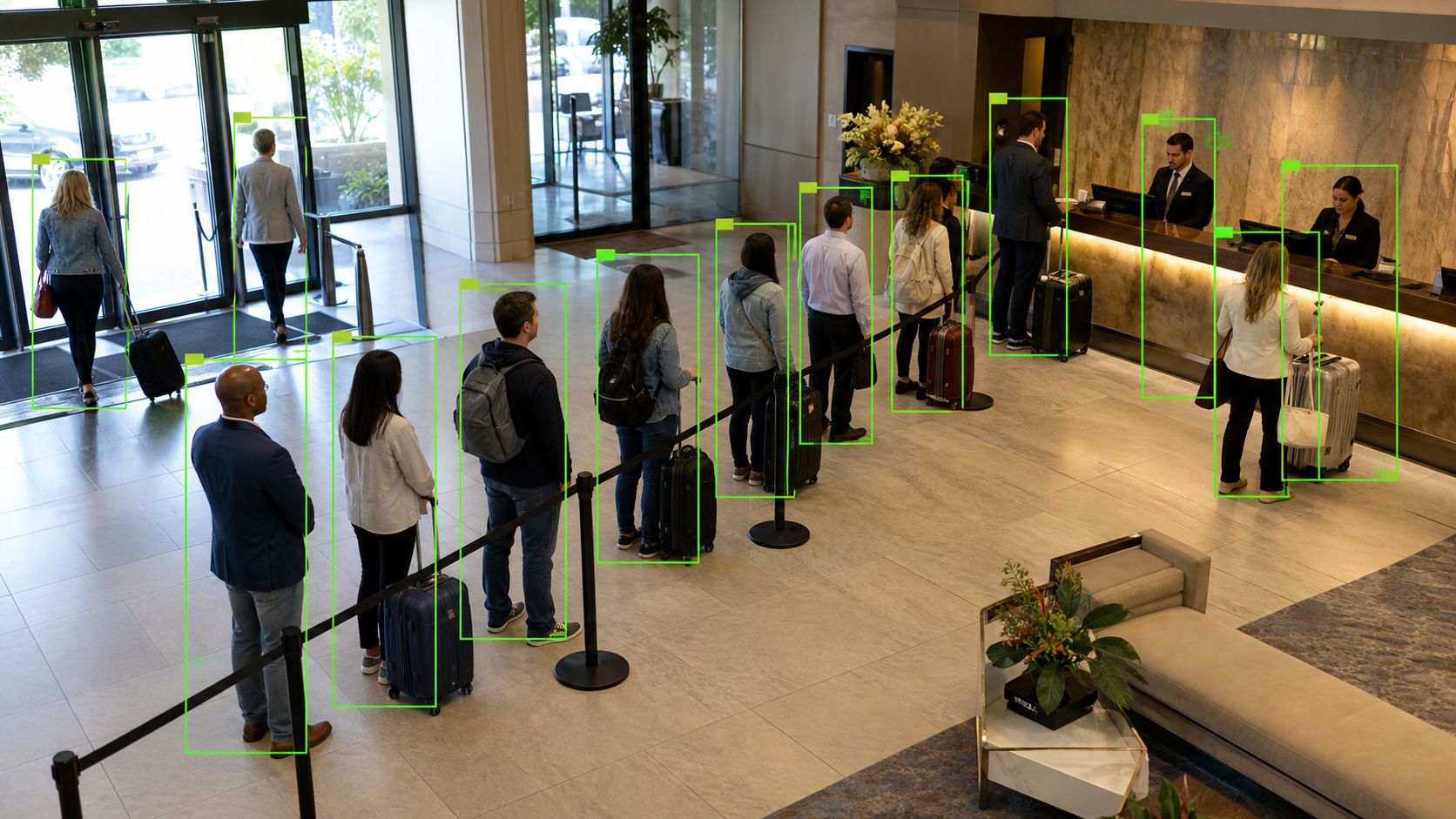
Monitor queue length, occupancy, and dwell-time conditions. Identify high-traffic areas, underused spaces, and recurring bottlenecks. Use movement data to support layout, staffing, and operational decisions.
EyesOnIt runs on your existing infrastructure and integrates with your VMS. Avoid hardware vendor lock-in, cloud processing fees, and costly “smart camera” refresh cycles by centralizing analytics on off-the-shelf servers.
Seamlessly deploy EyesOnIt within your existing Genetec environment and configure advanced video intelligence directly without replacing your VMS or disrupting established workflows.
EyesOnIt is built to detect and differentiate even the most nuanced traffic-related activities. If you can describe it, we can detect it. Start with one well-defined operational question, configure the relevant camera view, and expand after validating the results. Common workflows include:
Measure entries, exits, and directional movement across selected lines or areas. Compare activity across time periods and locations.
Track queue length and dwell conditions at service points, entrances, loading areas, and checkpoints. Alert teams when a configured condition persists.
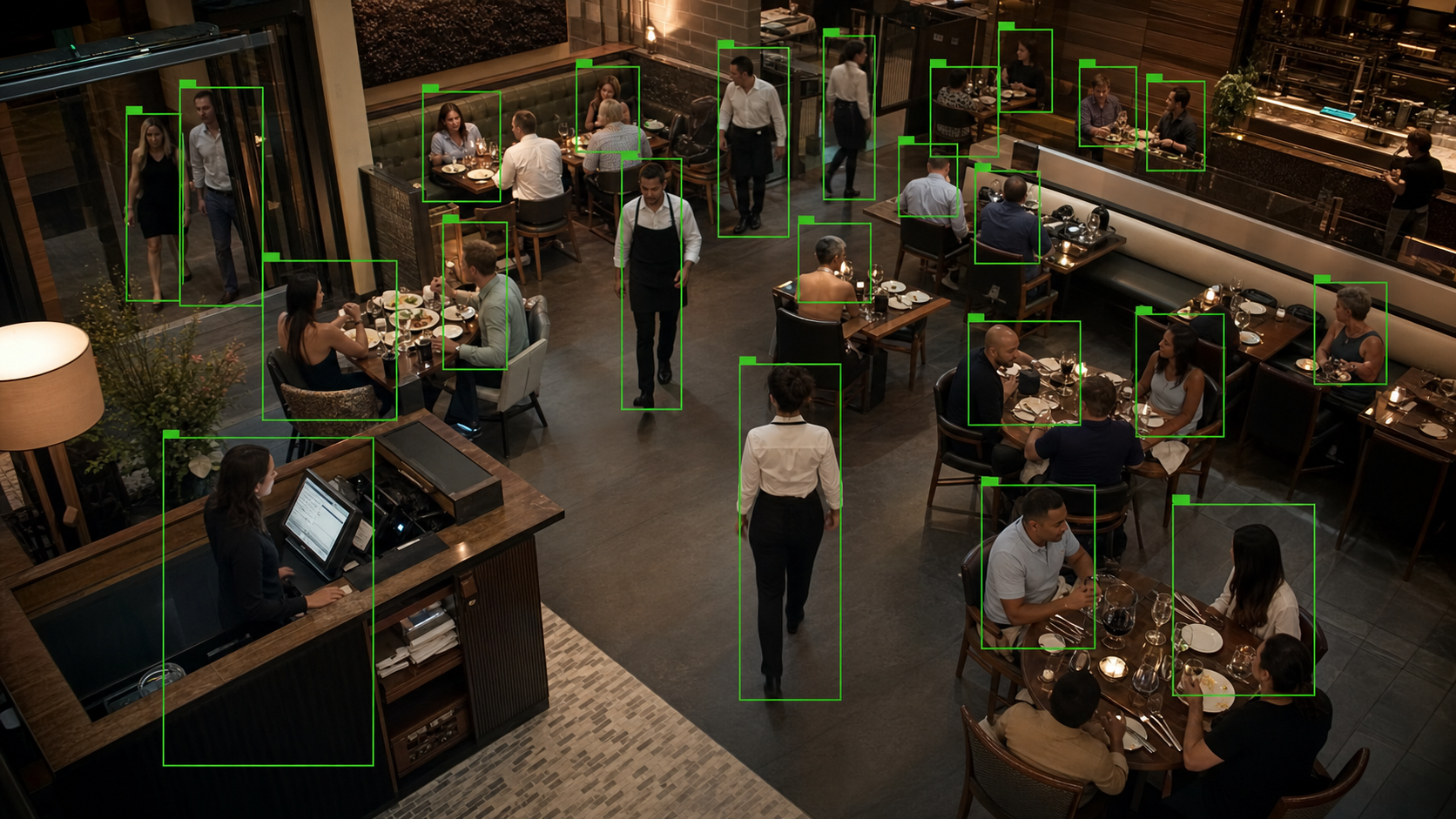
Understand when spaces approach a defined occupancy level and identify the times and locations where congestion occurs most often.
See how visitors move through retail, hospitality, transportation, and public spaces. Use traffic patterns to support better layouts, signage, and service placement.
Monitor vehicle movement through parking areas, entrances, exits, and loading zones. Identify recurring bottlenecks and periods of elevated activity.
Count selected objects in defined areas and route relevant conditions into alerts, reports, or downstream workflows.
EyesOnIt is simple to set up and incredibly powerful to use:
 Connect your video stream: Enter your RTSP URL, name the stream, and define the area to monitor.
 Describe what to detect: Use plain English to describe the events or conditions you care about.
 Get real-time alerts: Receive immediate notifications and confidence graphs as EyesOnIt monitors and detects events.
 Conduct forensic search across all cameras: Search through historical and live videos like you would a document with our AI natural language video stream monitoring and alerting.
 Review insights & analytics: Gain actionable insights from detailed reports and analytics dashboards. Track detection events, analyze patterns over time, and measure the performance and accuracy of your monitoring system to continually improve your security strategy.
EyesOnIt gives VMS providers and integrators a flexible way to introduce traffic analytics without tying customers to a proprietary camera refresh. Connect supported video streams, configure workflows around the customer’s environment, and keep deployment choices aligned with infrastructure and data requirements.
Tell us what your customer wants to count, monitor, or improve. Our team can help assess the camera view, define the first workflow, and identify a practical path for validating EyesOnIt in the customer’s environment.
| Feature | Description |
|---|---|
|
Multi-Layer Verified Detection |
Validates motion events with natural-language descriptions, face recognition, and image similarity, so alerts are accurate and actionable. Fewer false alarms, fewer missed incidents, and less operator fatigue. |
|
Natural-Language Object & Behavior Detection |
Describe what matters in plain English (e.g., “loitering near door” or “vehicle enters between 6pm and 6am”) and refine anytime without retraining models. Get custom detections without custom model costs. |
|
Face Recognition with Watchlists |
Import galleries, organize watchlists, and receive instant alerts when matches are detected. Strengthen security response and enable verified access workflows without increased staffing overhead. |
|
AI Video Search (Live & Archived) |
Instantly search live and recorded video feeds using text descriptions, face recognition or image uploads. Find people, objects, and events in seconds, turning hours of manual review into minutes. |
|
Automated Event Workflows |
Trigger lights, alarms, intercoms, notifications, or downstream systems when a verified visual event occurs. Improve response speed, consistency, and operational efficiency. |
|
Reporting & Analytics |
Generate searchable timelines, export event clips, and track detection trends across cameras and locations. Gain measurable insight while simplifying investigations and internal reporting. |
|
On-Site Processing |
Keep video and identity data on your network, eliminating cloud latency and per-event processing fees while maintaining real-time performance and stronger data control. |
|
Open, Hardware-Agnostic Architecture |
Works with existing cameras, RTSP streams, and your current VMS. Runs on standard servers with no proprietary lock-in, so you can scale affordably without rip-and-replace upgrades. |
EyesOnIt works with supported IP cameras and RTSP video streams, helping organizations add traffic analytics without automatically replacing their current camera infrastructure. Camera placement, image quality, lighting, and the selected workflow should be reviewed during planning.
EyesOnIt can be configured to count supported object types, including people and vehicles, within selected regions or as they cross defined lines. The right configuration depends on the camera view and operational goal.
Yes. Teams can configure count and duration conditions for workflows such as queue monitoring, occupancy review, and congestion alerts. For example, a workflow could flag when a defined number of people or vehicles remains in an area for a selected period.
EyesOnIt supports on-site and self-hosted deployment options on supported infrastructure. The appropriate model can be selected around the customer’s performance, connectivity, and data-control requirements.
Camera angle, resolution, lighting, visibility, object overlap, movement speed, and configuration can all affect results. EyesOnIt can help evaluate the camera view and validate the workflow during a focused pilot..
Start with one camera, one measurable condition, and one defined response. Validate the results over an agreed pilot period, refine the configuration, and expand once the workflow meets the customer’s objectives.
Share your specific use case for details on how our AI video analytics technology can help. Fill out the form below and a member of our team will be in touch.
© 2026 All Rights Reserved.