



Instantly Search Live & Archived Video Feeds with Ease

Turn descriptions or images into answers in seconds with EyesOnIt's natural language forensic video search and image-based video search capabilities. EyesOnIt helps you search indexed surveillance footage for people, vehicles, and objects. Review results with camera and time details, then use a selected image to look for similar matches in live video.

Built With Your Customers In Mind

Powered by Advanced Vision Language Models

EyesOnIt’s search accuracy comes from a Large Vision Model trained on 2+ billion images. 

Search With Words or Images

Use natural language or upload a snapshot to locate people, vehicles, or objects. 

Built for Scale

Search across hundreds of cameras at the same time with on-prem performance and zero cloud dependency. 

Save Resources

Jump from hours of footage to relevant moments immediately.  Improve business processes through notifications that alert on important operational events. 

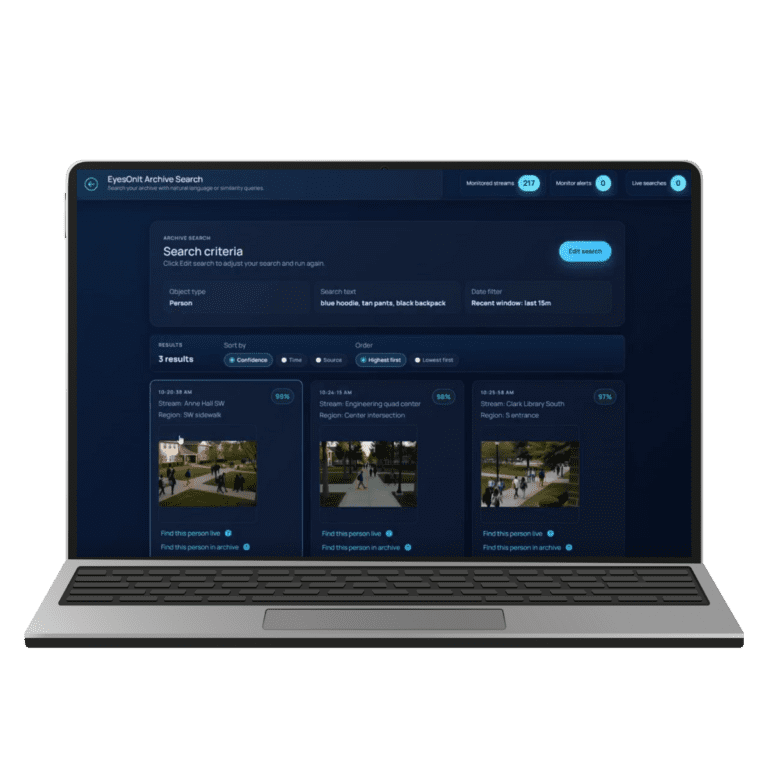
eyesonit natural language archive search example

Search Security Footage Using Everyday Language

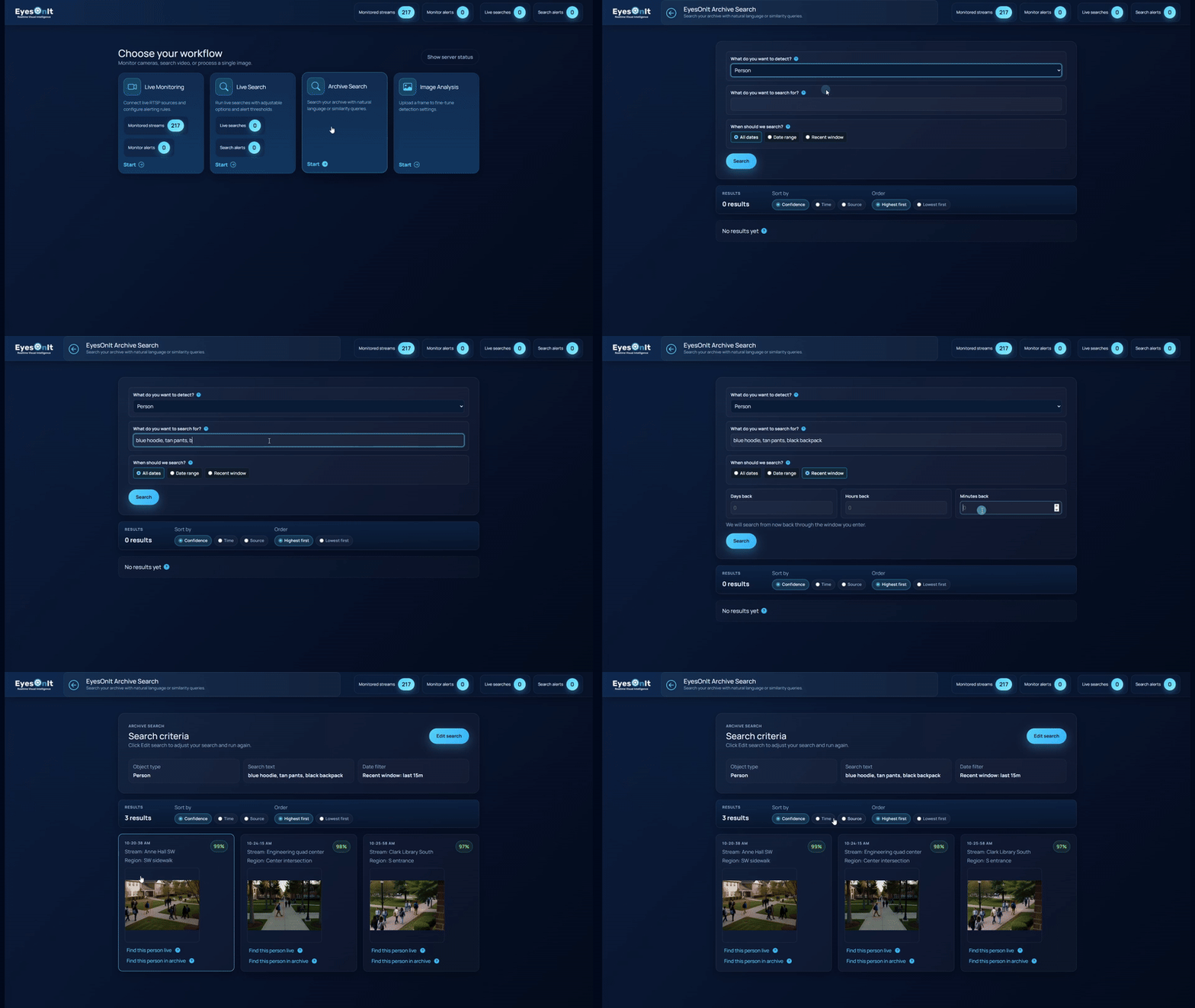
Start with the details you know: clothing, vehicle color, or the appearance of an object. Enter a description, review relevant indexed results, and use camera and time details to focus your investigation. Find exactly what you’re looking for by typing a simple sentence, just like searching email or documents.

👉 Understands descriptive queries (e.g., “blue hoodie, tan pants, black backpack”)
👉 Search live streams (up to one second behind real time) and archived footage
👉 Eliminate the need for manual tagging or rigid VMS filters
👉 Click to find look-alikes across all cameras with object similarity search
👉 Choose a date range or recent time window, then sort results by confidence, time, or source to decide what to review next

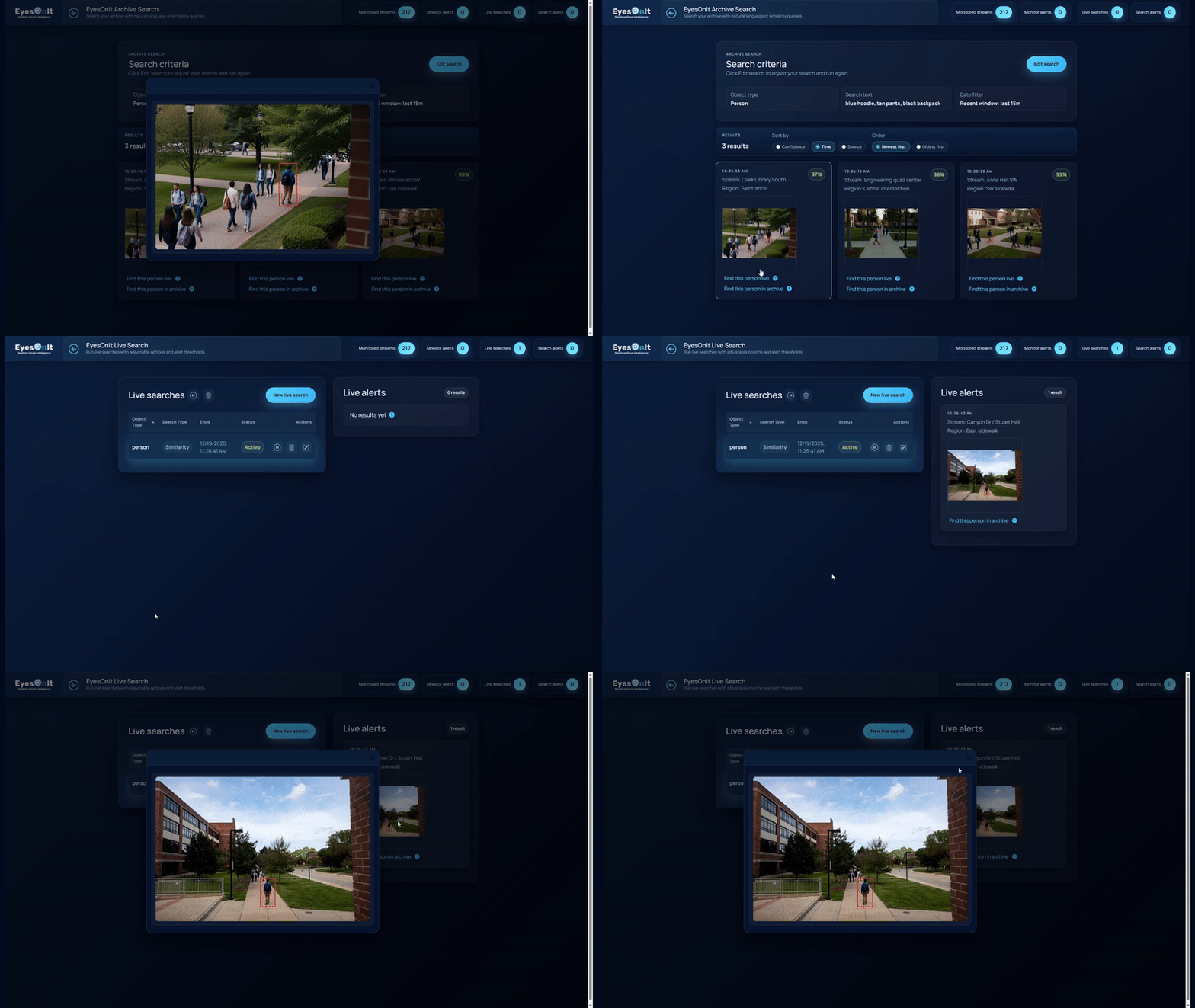
Use an Image to Find Similar People, Vehicles, or Objects

Upload an image or select a search result to look for visually similar matches. Review matches with their camera and time context, then use a selected result to continue searching in live video. Image similarity gives you another way to investigate when a picture captures details that are difficult to describe.

👉 Retrieve all appearances of a person within seconds
👉 Track movement through a facility using one snapshot
👉 Identify vehicles without relying on plate data
👉 Detect unique visuals: clothing patterns, modifications, silhouettes, partial views
👉 Uncover repeat behaviors

eyesonit similarity search example

Add Video Search to Your Camera and VMS Environment

EyesOnIt supports RTSP camera streams, Genetec integration, and on-premises deployment on supported infrastructure. We can help confirm the camera, VMS, and server configuration for your search goals.

👉 Runs on Windows or Linux servers with NVIDIA GPUs
👉 Works with almost all IP cameras since 2010
👉 Fully integrated with Genetec Security Desk
👉 100% on-premises processing for speed, privacy, and reliability

How Security Teams Use EyesOnIt Today

EyesOnIt offers unparalleled operational intelligence, informing security, retail, hospitality, manufacturing, and customer experience teams while offering revenue and efficiency gains.

Understand Movement Across Variables

Whether tracking a suspect across cameras or understanding how customers navigate a store, teams can automatically reconstruct paths, identify interactions, and analyze behavior patterns without manual review. This supports security investigations as well as layout optimization, staffing decisions, and customer flow analysis. 

Identify Vehicles and Assets Without Relying on Plates or IDs

Locate vehicles based on visual attributes, even when license plates or identifiers aren’t available. It’s powerful for investigations, managing parking operations, delivery zones, hotel arrivals, or logistics workflows where visibility and efficiency matter. 

Improve Safety, Compliance, Operations

Identify visually similar behaviors across time and locations. This includes recognizing overcrowding, long lines, delayed service moments, or improper procedures. The result is faster response, better staffing decisions, and smoother operations, not just fewer incidents. 

Enable Proactive, Revenue-Generating Actions

Teams can receive alerts when checkout lines grow too long, when guests appear ready to order, or when service areas become congested. Instead of reacting after the fact, organizations can intervene in the moment to improve customer experience and capture missed opportunities. 

Search Smarter, Not Harder with EyesOnIt

The future of surveillance is centralized intelligence and faster answers. EyesOnIt transforms video search from hours of manual review into a simple query, providing instant insights across your entire camera network. Start unlocking smarter operations, better user experiences, and new operational opportunities using the video you already have.

Tell us what you want to find in your surveillance footage. We’ll follow up to arrange a demo and discuss how EyesOnIt could fit your camera and VMS environment.

Frequently Asked Questions

It lets you describe what you want to find in surveillance video using everyday words. EyesOnIt uses that description to return relevant indexed results for review.

Can I search using an image?

Yes. EyesOnIt supports an uploaded image or a selected result as the starting point for a visual similarity search, helping you find comparable people, vehicles, or objects.

Can I search both recorded and live video?

EyesOnIt supports searches of indexed historical results and live searches on configured streams. You can use a reviewed result to continue searching for visual matches in live video.

Can it search footage recorded before installation?

Archive search requires video to have been indexed for search. During a compatibility discussion, the EyesOnIt team can review your existing recording system and confirm the supported workflow for your footage.

Will it work with my cameras and VMS?

EyesOnIt supports RTSP video streams and Genetec integration. A compatibility discussion can confirm your cameras, VMS, codecs, and server requirements and help identify the right setup.

Can I deploy it on-premises?

Yes. EyesOnIt supports on-premises deployment on supported infrastructure. The team can discuss the hardware and connectivity configuration that fits your environment.

What will the demo cover?

See how to enter a description, review search results, and continue a search using image similarity. Share your use case so the conversation can address your video environment.

Does video have to be sent to the cloud?

EyesOnIt can run in self-hosted or on-site deployments on supported infrastructure. Self-hosted EyesOnIt deployments do not require EyesOnIt cloud video-processing fees. Customer infrastructure, licensing, support, connectivity, and third-party service costs may still apply.

Can EyesOnIt help reduce false alarm workload?

Yes. EyesOnIt can help reduce false alarm workload by validating visual events before teams respond. Instead of relying only on basic motion triggers, teams can define more specific visual conditions so alerts better match the activity they actually care about.

Yes. EyesOnIt supports image-based similarity search where image quality, camera coverage, and indexed data support matching. Teams can use an image or visual reference to help search for similar people, vehicles, or objects across supported video workflows.

Does EyesOnIt support face recognition?

EyesOnIt supports face recognition workflows where enabled, approved, and appropriate for the organization. Because face recognition can involve privacy, policy, and legal requirements, each deployment should be reviewed based on the organization’s use case, location, and internal governance.

Interested In Learning More About EyesOnIt?

Share your specific use case for details on how our AI video analytics technology can help. Fill out the form below and a member of our team will be in touch.

Contact Us Form

© 2026 All Rights Reserved.