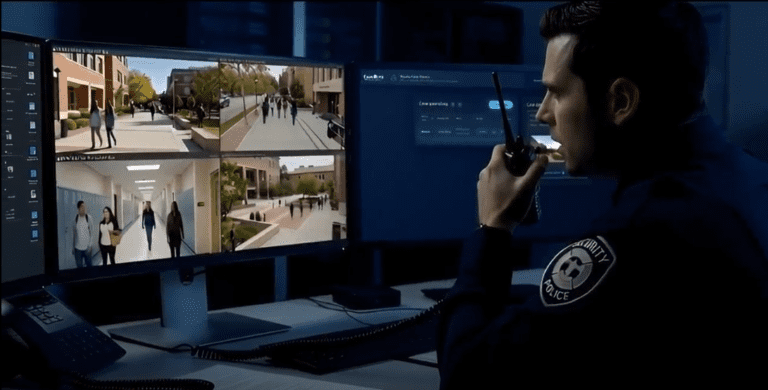

EyesOnIt’s face recognition technology helps users find people in recorded video and receive alerts when a possible match appears on a live camera. EyesOnIt gives security teams and system integrators face recognition, group management, and search tools that work with supported RTSP camera and VMS environments.
Search indexed footage, review possible matches, and connect relevant events to your team's response workflow. EyesOnIt’s face recognition capability is fast, reliable, and built to work with your infrastructure.
Built and supported in the U.S., trusted for enterprise and high-security environments.
Pair with EyesOnIt’s video search to find specific individuals based on plain-English descriptions.
Facial recognition runs on your own infrastructure, keeping video and biometric data private, secure, and fast.
Identify individuals in live feeds and trace their presence across historical footage in seconds.
Configure sensitivity for different use cases. Integrates with Genetec Security Desk and most major VMS platforms.
EyesOnIt makes the face recognition enrollment process easy by importing your existing gallery of people with their pictures and group assignments. After enrollment, EyesOnIt leverages your assignments to watchlists, access lists, VIP/priority lists, staff/contractor and other custom groups to provide specific, immediate, actionable notifications.
Detect individuals across all video streams and receive immediate alerts with the person’s name and group assignments.
Leverage integrations with VMS, access control and customer management software to improve your business operations.
EyesOnIt’s face recognition technology is built on advanced U.S.-developed models designed to understand and match human identity across real-world conditions, from low-light angles to multi-camera environments. It’s fast, highly scalable, and completely on-prem for maximum privacy.
Faster decisions, fewer manual reviews
Reduce reliance on badges, codes, or keycards
Deploy with your current video infrastructure
Improve security, service, and operational efficiency
Privacy-first architecture with no cloud dependencies
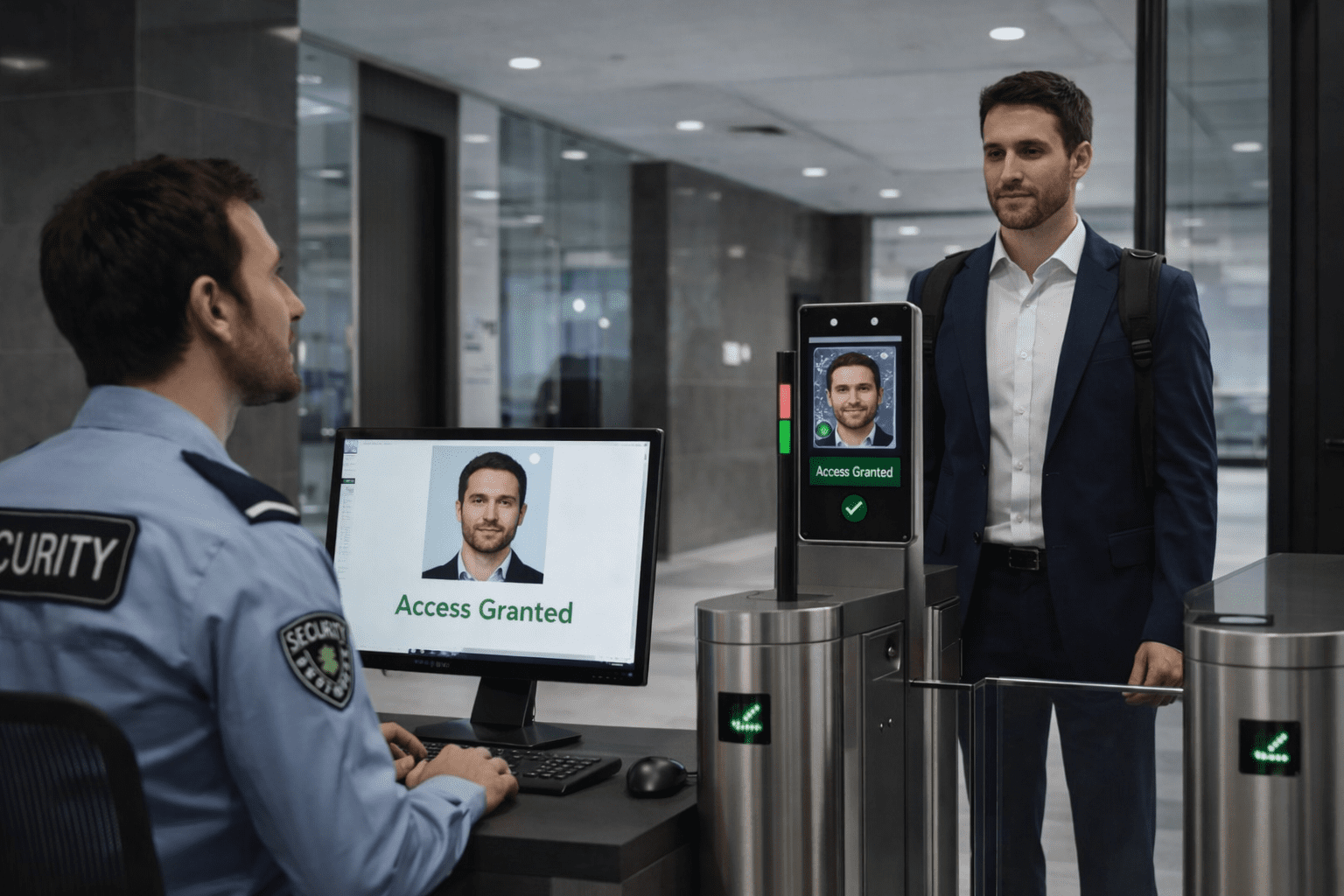
Detect and alert when known individuals appear across live camera feeds, with adjustable thresholds and alert routing.
Use face-based identity to grant or deny access at gates, doors, or secure zones; no cards, codes, or keypads needed.
Enable fast, contact-free identity verification for retail counters, kiosks, and point-of-service environments.
Track check-in and check-out activity for employees, contractors, or guests automatically, complete with audit trails.
Recognize returning VIPs or frequent visitors to deliver elevated service experiences in hospitality and retail environments.
Identify when the same person appears across multiple locations in a short time window, ideal for financial institutions, franchises, or retail chains.
Reduce theft, shrink, and unauthorized access by alerting on known risks and enabling identity-aware forensic search.
Identify individuals, automate access, and detect patterns, powered by EyesOnIt. Tell us what you want to find or respond to. We will help assess the use case, demonstrate relevant EyesOnIt capabilities, and discuss cameras, integrations, and deployment options. Let’s talk about how EyesOnIt can enhance your platform or operations with enterprise-grade face recognition.
EyesOnIt supports RTSP camera and VMS environments, including a native Genetec integration. Share your camera and VMS requirements during discovery so the team can assess compatibility and suitable views.
Face recognition searches for enrolled people and groups using reference images. EyesOnIt supports enrollment and group management. For a description-based investigation, explore EyesOnIt’s AI video search capabilities.
Yes. EyesOnIt supports enrolled-person search across indexed recorded video and configured live searches and alerts. The demonstration can show how these fit your investigation and response process.
Yes. EyesOnIt supports on-premises processing on supported NVIDIA GPU infrastructure. Connected and air-gapped deployment options can be reviewed with the team; notification paths depend on the deployment.
EyesOnIt can integrate with access-control and operational systems. The team will scope the target system, verification and review steps, and customer-specific implementation needed for your workflow.
EyesOnIt can detect events and images using advanced artificial intelligence.
Teams can search by plain-language descriptions such as clothing, objects, locations, activities, vehicles, safety conditions, or suspicious behavior. Example use cases include intrusion review, loitering, PPE checks, smoke or fire indicators, traffic flow, object counts, and person-of-interest workflows.
EyesOnIt is designed to help teams search across authorized camera networks instead of manually reviewing each stream. Results depend on camera count, hardware, configuration, indexing, video quality, and the specific deployment.
EyesOnIt can run in self-hosted or on-site deployments on supported infrastructure. Self-hosted EyesOnIt deployments do not require EyesOnIt cloud video-processing fees. Customer infrastructure, licensing, support, connectivity, and third-party service costs may still apply.
Yes. EyesOnIt can help reduce false alarm workload by validating visual events before teams respond. Instead of relying only on basic motion triggers, teams can define more specific visual conditions so alerts better match the activity they actually care about.
Yes. EyesOnIt supports image-based similarity search where image quality, camera coverage, and indexed data support matching. Teams can use an image or visual reference to help search for similar people, vehicles, or objects across supported video workflows.
EyesOnIt supports face recognition workflows where enabled, approved, and appropriate for the organization. Because face recognition can involve privacy, policy, and legal requirements, each deployment should be reviewed based on the organization’s use case, location, and internal governance.
We will discuss your use case and show relevant enrollment, search, and alert workflows. We can also review your camera/VMS environment and outline the next step for validating fit.
Share your specific use case for details on how our AI video analytics technology can help. Fill out the form below and a member of our team will be in touch.
© 2026 All Rights Reserved.