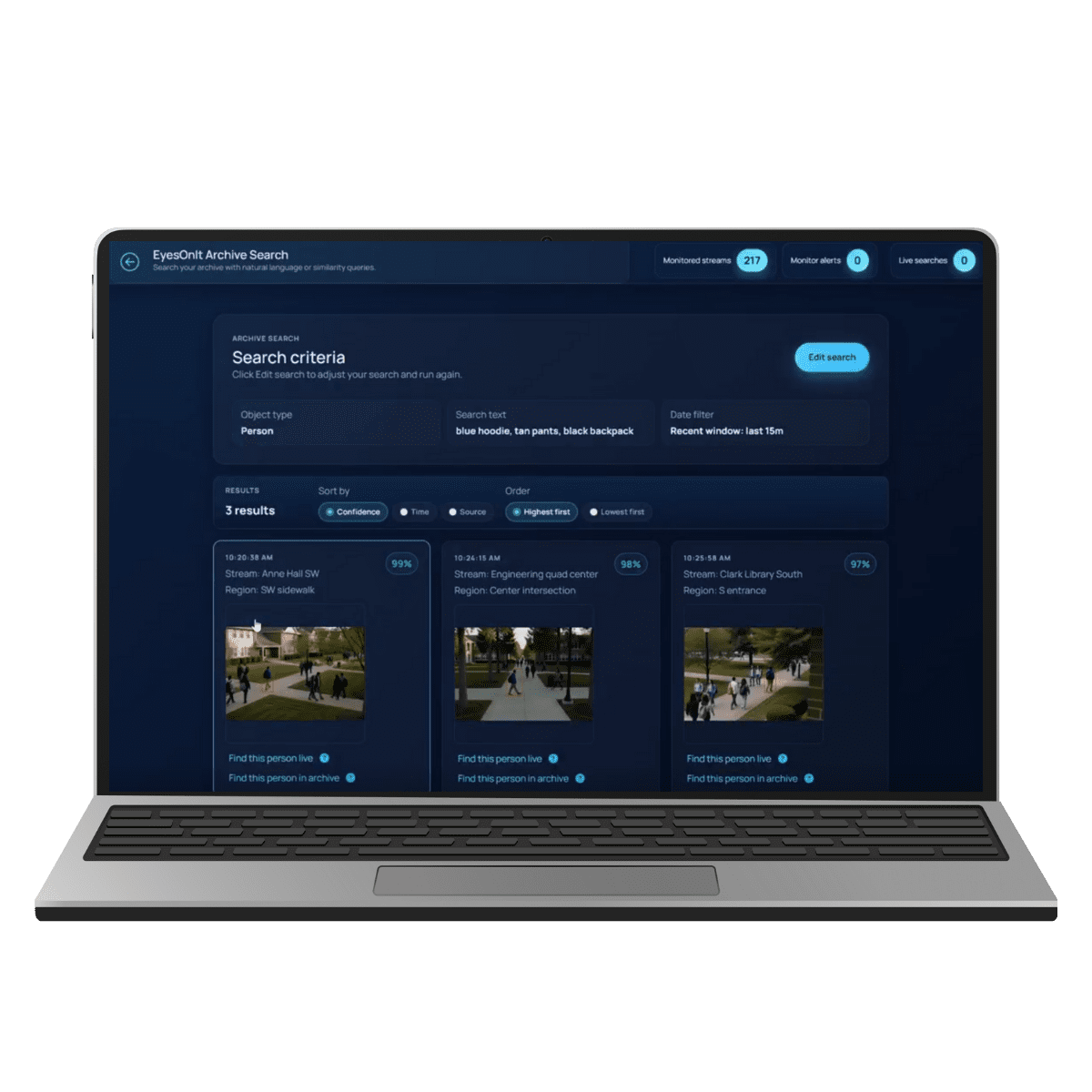
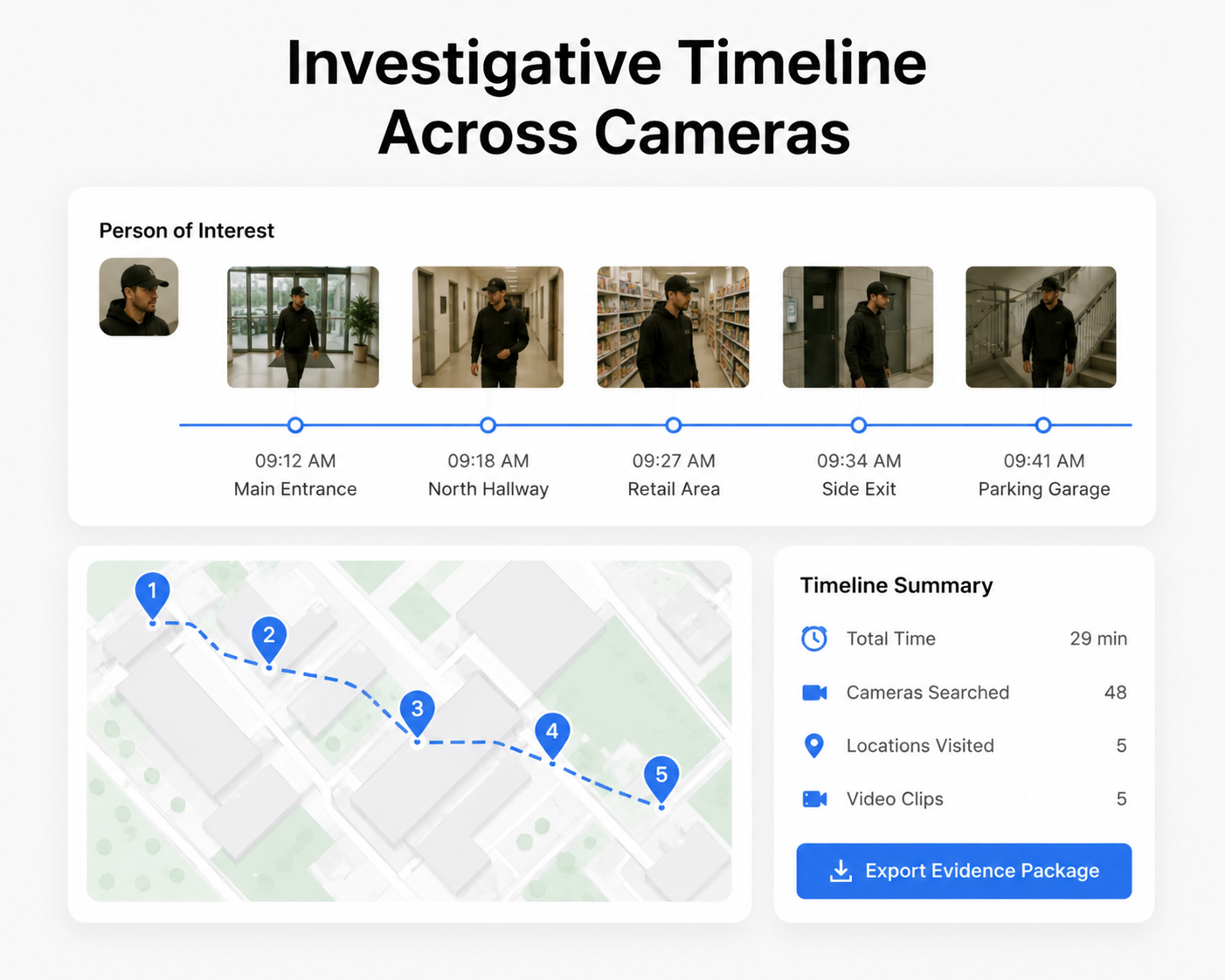
Turn live and recorded video into useful intelligence. EyesOnIt adds AI-powered search, visual detection, alerts, and reporting to supported camera and VMS environments. We help teams investigate faster, monitor what matters, and build practical workflows around the video they already have. EyesOnIt is designed for supported RTSP camera and VMS environments, with self-hosted and on-site deployment options that give organizations greater control over video processing and infrastructure.
Explore EyesOnIt Features
Search indexed footage using a plain-language description, start from an image, run configured searches against live video, or use approved identity workflows when appropriate. EyesOnIt’s results bring relevant moments together with source, time, thumbnail, and context, so operators can move from a question to focused review. Click below to learn more.
Frequently Asked Questions
AI video analytics software can help teams search footage, detect configured visual conditions, monitor live video, generate alerts, and analyze detection activity. EyesOnIt supports plain-language and image-similarity search, approved face-recognition workflows, regions and lines, counts, alerts, reporting, and integration through supported APIs, SDKs, and VMS workflows.
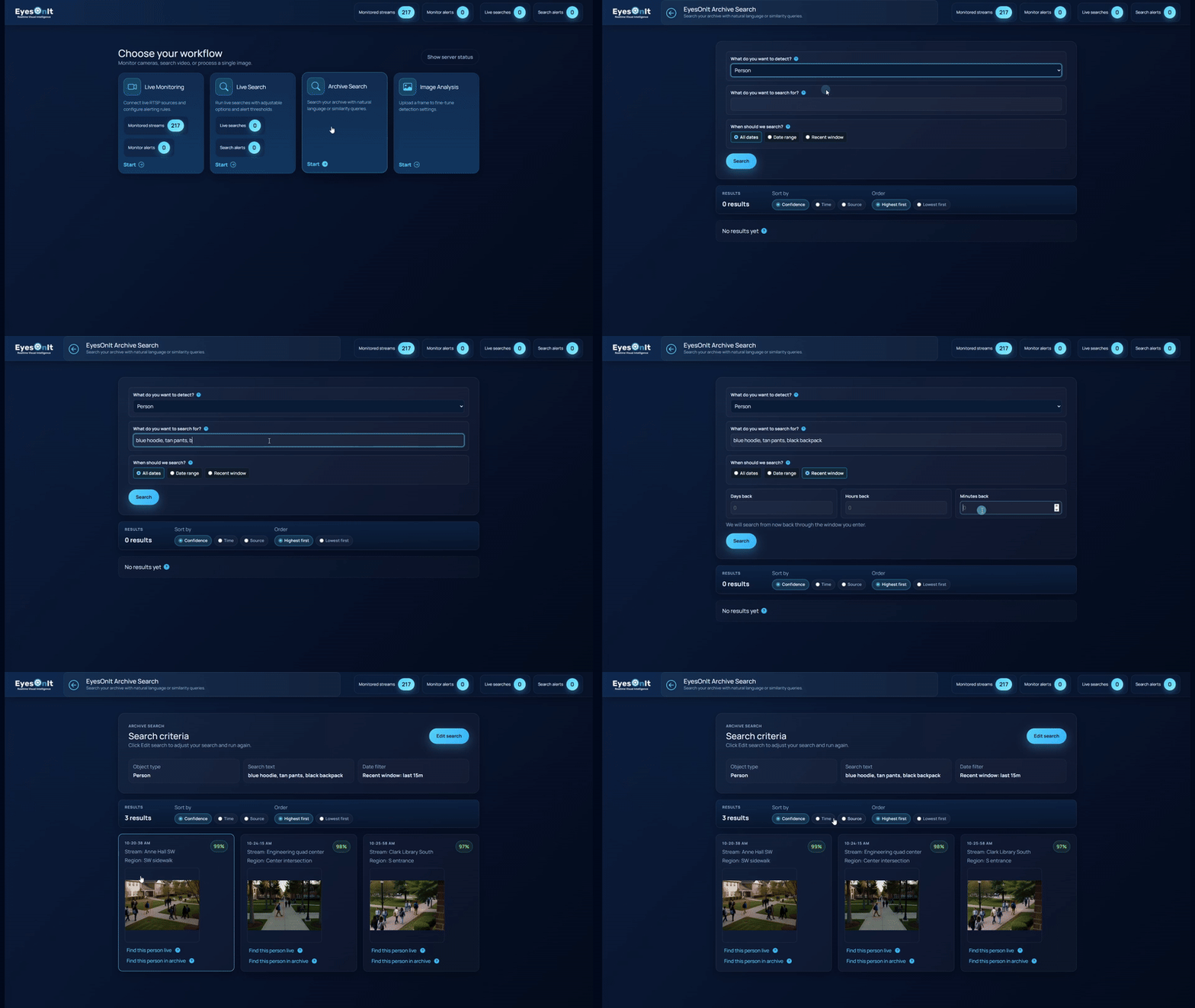
Yes. EyesOnIt supports archive search across indexed recorded video and live searches that continue monitoring configured streams. Search modes include natural-language descriptions, image similarity, and face recognition where enabled and approved.
EyesOnIt is designed to work with supported RTSP camera and VMS environments. It includes a native Genetec integration and can be integrated with other VMS or operational systems. Compatibility should be confirmed for the cameras, codecs, VMS, infrastructure, and use case in each deployment.
Yes. EyesOnIt supports on-site and self-hosted deployments on supported infrastructure, as well as edge and cloud deployment models. An NVIDIA GPU is required. Hardware sizing depends on the number and format of streams, processing rate, enabled features, and workload.
No custom model training is required for supported natural-language detection and search workflows. A successful deployment still includes selecting suitable cameras, configuring the workflow, setting thresholds, and validating results against representative video.
Yes. EyesOnIt supports Genetec events, REST webhooks, APIs, Socket.IO events, and supported SDKs. These interfaces can connect reviewed detections and alerts to notifications or downstream systems based on the customer’s configuration.