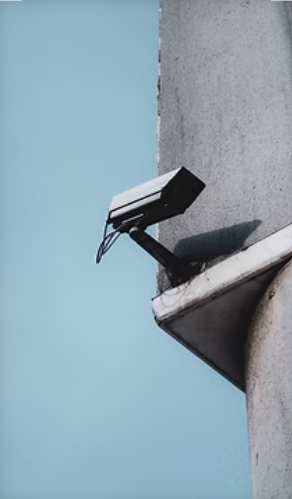
Your cameras already see the signals your teams care about. They see entrances opening, vehicles arriving, queues forming, rooms filling, shelves changing, people moving through facilities, and activity happening after hours. The opportunity is to make those visual signals easier to route, review, and act on.
That is where visual intelligence workflows become useful. Instead of treating cameras only as recording devices, organizations can connect selected camera events to practical next steps:
- An alert
- A review queue
- A search workflow
- A report
- A REST webhook
- A downstream automation
EyesOnIt adds AI video intelligence to existing camera and VMS environments for security, operations, facilities, IT, and system-integrator teams. The strongest projects usually start with one clear workflow, a suitable camera view, and a defined action path. From there, teams can expand with confidence.
The goal is simple: help the right team notice the right visual signal at the right time, then move it into the right workflow.
What Is a Visual Intelligence Workflow?
A visual intelligence workflow starts with something visible in a camera feed and ends with a useful action, review, search, report, or integration.
For example, an after-hours camera view can show a person in a restricted area. A passive camera system records the footage for later. A visual intelligence workflow flags the event, routes it to a reviewer, creates a searchable result, or notifies the appropriate team through a configured alert path.
The same pattern works for operations. A camera can show:
- A long line
- Extended dwell time
- Low inventory
- A misplaced object
- Occupancy changes
- Smoke or fire
- A spill of a non-transparent substance
- A count that crosses a configured threshold
When the visual condition is specific and the next step is clear, camera feeds become operational signals.
Because many workflows begin with existing camera and VMS access, EyesOnIt is built around existing RTSP camera and VMS environments. ONVIF profiles help teams understand compatibility between conformant physical security products, and the Real-Time Streaming Protocol is one protocol used for the controlled delivery of real-time media such as audio and video.
EyesOnIt is designed for that practical middle ground: configured visual detection, alerting, search, reporting, and integrations that fit the environment rather than asking teams to replace their entire video operation.
1. Turn After-Hours Activity Into a Reviewable Signal
After-hours activity is a natural starting point for many teams. Entrances, perimeters, lobbies, storage rooms, parking areas, and restricted spaces are already common camera locations. EyesOnIt turns those feeds into configured review, alert, and search workflows when selected activity appears.
AI surveillance and security workflows let teams define which people, vehicles, objects, or scene conditions should be reviewed, alerted, or searched.
EyesOnIt can route the next step to:
- A security review
- A Genetec event
- A REST webhook
- A Slack or Teams message
- An SMS or Telegram notification in Internet-connected deployments
- Another configured alert path
EyesOnIt is designed to reduce false-positive workload by validating visual events before teams respond. Available controls include:
- Motion gating
- Confidence thresholds
- Region and line constraints
- Object-class filtering
- Natural-language matching
- Similarity thresholds
- Face-recognition thresholds
- Alert timing thresholds
These controls give teams a practical way to tune alerts around the activity that matters most.
A strong after-hours workflow answers practical questions:
- Which cameras and time windows matter?
- What visual condition should trigger a review?
- Who receives the alert or review item?
- What context does the reviewer need?
- What should happen when the event is confirmed, dismissed, or escalated?
Those choices make the workflow easier to tune. They also help teams focus on useful alerts instead of asking operators to watch every feed continuously.
2. Route Queue, Dwell-Time, and Occupancy Signals
Visual intelligence is not only for security. In retail, transportation, hospitality, campuses, healthcare, and service environments, cameras often see operational patterns before they appear in a report.
A queue-length workflow tells a manager when a line reaches a defined count. A dwell-time workflow flags when a person or vehicle remains in an area longer than expected. An occupancy workflow shows teams how a space is being used throughout the day.
For teams focused on movement, counts, and congestion, EyesOnIt’s traffic flow and counting workflows support:
- Accurate real-time counts
- Immediate results
- Reduced wait times
- Productivity gains
- Enforcement workflows
During planning, EyesOnIt support can confirm the camera view and deployment fit.
These workflows are most useful when connected to a clear action. For example:
- A long queue might prompt staff to open another service point.
- A crowded lobby might prompt a supervisor to check staffing.
- A recurring dwell-time pattern might help a facilities team rethink signage, layout, or traffic flow.
The path forward is manageable: start with one camera view, define the visual condition, decide who needs to know, and review the results over a focused pilot window.
EyesOnIt gives teams a way to test this using the camera views and operational goals they already have.
3. Support Inventory, Object, and Placement Workflows
Operations teams can use EyesOnIt to support object and inventory workflows from fixed camera views. A camera can show whether a shelf, staging area, display, bin, counter, table, or loading zone appears ready for attention.
Teams exploring broader process automation can begin by identifying the visual conditions their cameras already capture.
EyesOnIt supports process-automation workflows for:
- Weather
- Inventory
- Queue length
- Occupancy
- Animals
- Construction
- Dwell time
- Group behavior
- Restaurant table status
- Parking management
- Customer behavior
For EyesOnIt buyers, this is often where the product conversation becomes concrete. Instead of asking for abstract “camera automation,” teams can bring one visual condition and one desired handoff:
- Notify a manager
- Create a review item
- Trigger a downstream system
- Add the pattern to a report
The best starter workflows are specific. “Flag this clearly visible shelf area when it appears empty” is easier to evaluate than a broad request to understand every inventory condition across a site.
Specific workflows help teams learn quickly, tune responsibly, and expand with confidence.
Camera quality still matters. The following factors can affect whether an object workflow is practical:
- Lighting
- Camera angle
- Distance
- Contrast
- Obstructions
- Scene clutter
A good pilot uses those checks as a path to better setup and clearer results.
4. Bring Safety-Related Events Into a Review Process
Safety-related workflows are a strong fit for visual intelligence when the camera view and response path are clear.
Cameras can see visual conditions such as:
- PPE or hard-hat usage
- Reflective vests
- Smoke or fire
- Spills of non-transparent substances
- Traffic conditions
- Hazardous-zone access
- Other conditions that deserve attention
For these workflows, a review-first approach is often the right foundation. Visual intelligence flags a candidate event, routes it to a qualified person, and creates context for follow-up.
That keeps the workflow practical while giving safety, operations, legal, HR, facilities, and IT teams a chance to define the appropriate response.
The NIST Privacy Framework helps teams think through privacy risk when safety workflows involve employees, visitors, students, vendors, or members of the public.
EyesOnIt’s safety and compliance workflows help teams meet compliance goals, protect workers, and reduce liability through configured visual detection and alert workflows.
The workflow can be improved as the team learns which camera views, thresholds, alert timing, and response paths work best.
When safety is involved, the opportunity is not just faster notification. It is a clearer, more repeatable way to see what is happening in important areas and route that information to the people responsible for review.
5. Turn Detections Into Reporting and Trend Insights
Individual alerts are useful, but repeated patterns can be even more valuable.
Over time, visual detections and review outcomes can help teams understand:
- When activity happens
- Where bottlenecks appear
- Which camera views need tuning
- Which workflows deserve more attention
This is where AI video reporting and analytics supports better decisions.
EyesOnIt supports:
- Heat maps
- Timelines
- Frequency binning
- Data exports
- Exportable views, charts, and tables
For more advanced reporting needs, teams can scope the exact dashboard, metric, export, and review process with EyesOnIt.
Reporting also helps teams improve automation. If an alert is noisy, under-reviewed, or routed to the wrong owner, the data can show where the workflow needs adjustment.
If a location repeatedly shows long dwell times or heavy traffic, the team can use that trend to guide:
- Staffing
- Layout
- Signage
- Operational planning
Good EyesOnIt workflows do not stop at detection. They create a learning loop:
Detect. Review. Report. Tune. Expand.
6. Connect Camera Events to Downstream Systems
Some camera events become more useful when they reach another system.
A configured visual condition can:
- Call a REST endpoint
- Create a ticket
- Trigger a Genetec event
- Notify a manager
- Connect to an access-control workflow
- Support a customer-management workflow
EyesOnIt supports downstream automation through REST APIs and custom integrations using the plugin model. These integrations move teams from “someone should check this” to a more direct operational handoff.
API and webhook workflows should still be designed thoughtfully. Important considerations include:
- Authentication
- Authorization
- Rate limits
- Logging
- Failure handling
- Data minimization
The OWASP API Security Top 10 is a helpful reference for common API security risks, including broken authorization, broken authentication, unrestricted resource consumption, security misconfiguration, and unsafe API consumption.
In buyer terms, the practical question is which workflow to connect first.
EyesOnIt is designed to work with existing RTSP camera and VMS environments. Our support team can answer specific questions about streams, codecs, camera views, networks, and deployment requirements before teams invest in a larger rollout.
7. Build Trust With Privacy and Cybersecurity Review
Automated camera workflows are strongest when trust is designed in from the beginning.
EyesOnIt workflow planning gives teams a clear way to define:
- What the workflow does
- Who can see the results
- Which systems receive events
- How the organization will govern access and retention
The NIST Cybersecurity Framework can help organizations think about cybersecurity risk management.
This framework does not replace legal advice or internal policy, but it gives teams a shared vocabulary for access, governance, protection, response, and accountability.
A practical review can cover:
- What video or metadata is processed
- Who can see alerts, clips, thumbnails, search results, or reports
- How long results are retained
- Whether identity-related workflows are in scope
- Which systems receive downstream events
- How false positives, missed events, and manual overrides are handled
- Who can disable, tune, or approve changes to the workflow
Handled early, these decisions make adoption easier. They help security, operations, IT, and leadership teams align before the workflow expands.
This is also where EyesOnIt’s deployment model matters. EyesOnIt can run at the edge, on premises, self-hosted, or in the cloud, depending on the deployment.
That flexibility helps teams align video intelligence with their infrastructure, privacy, and operational requirements.
Start With One Useful Workflow
The best place to begin is one camera view and one useful workflow.
Choose a visible condition, define the next step, review the results, and tune from there.
Good starter workflows include:
- After-hours activity in a selected area
- Long queue or dwell-time review
- Low inventory or misplaced-object review
- Occupancy or count-threshold review
- Safety-related visual events routed to a qualified reviewer
- Search and reporting workflows for incident follow-up, including natural-language forensic video search when the video is indexed and the workflow is approved
Starting small makes success easier to recognize. It gives the team a practical way to learn what the cameras see, which events matter, and how the workflow should grow with EyesOnIt.
Preparing for a Workflow Conversation
You can begin with high-level, non-sensitive information.
A useful first conversation often includes:
- The workflow you want to improve
- The camera or area involved
- Whether you need an alert, review queue, dashboard, search workflow, or integration
- The VMS or camera environment
- Whether the workflow needs to run on-site, in the cloud, or in a specific network environment
- Any privacy, safety, cybersecurity, or approval requirements
For early discovery, share general details rather than production credentials, tokens, camera URLs, private footage, customer data, or sensitive site information.
If your organization is ready to move from passive camera recording to useful visual intelligence workflows, talk to EyesOnIt about an automation workflow or share your use case.
EyesOnIt can evaluate your existing camera and VMS environment and help identify the workflow to automate first.
Frequently Asked Questions
What Can Visual Intelligence Trigger?
EyesOnIt can trigger reviewed alerts, search workflows, reporting views, REST webhooks, Slack message, Teams messages, Genetec events, and downstream automation through configured visual detection, alerting, reporting, and integration paths.
Do Automated Workflows Require New Cameras?
No new camera system is required for many EyesOnIt workflows.
EyesOnIt is built to add AI video intelligence to existing RTSP camera and VMS environments, so teams can start building automated workflows without replacing the camera infrastructure they already use.
EyesOnIt support can confirm stream access, codecs, camera views, network requirements, deployment options, and workflow fit before rollout.
Should All Detections Trigger Automatic Actions?
No. EyesOnIt supports both review-first workflows and deeper automation.
Many teams start with human review for safety-related, privacy-sensitive, employment-related, public-facing, or identity-adjacent use cases. They can then add more automation once the signal quality and response path are clear.
How Should We Choose the First Workflow?
Choose a workflow that is:
- Visible in the camera view
- Valuable to the business
- Easy for a team to review
- Narrow enough to measure
EyesOnIt turns that first workflow into a clear path to learn, tune, and expand.