Bring More Video Intelligence To Your Next Customer Project
EyesOnIt helps system integrators extend existing camera and VMS environments with configurable video monitoring, live search, and archive search. Start with a focused compatibility review, then shape a practical demonstration or proof of concept around the customer's real workflow.
Bring your current VMS or RTSP path, approximate camera count, target workflow, and project timing to the first conversation.
Discuss a Customer Project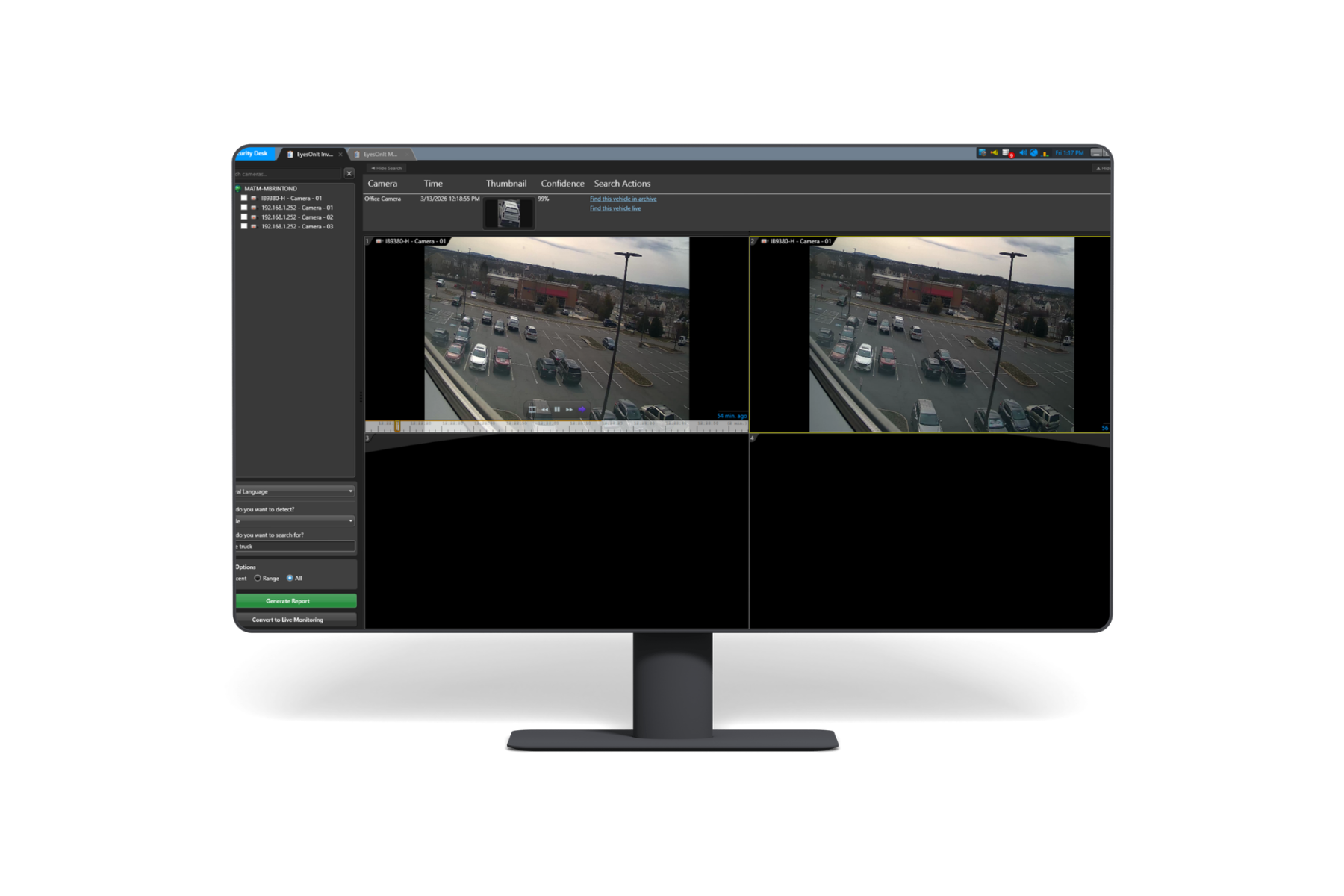
A Practical Path For Integrators And Their Customers
The strongest projects begin with a specific customer need and a clear view of the environment that must support it. That’s where EyesOnIt comes in.
Build On Existing Video Infrastructure
Evaluate the customer's current cameras, VMS or RTSP streams, video formats, network path, and supported processing infrastructure before proposing a deployment.
Start With The Customer Workflow
Focus the first demonstration on the investigation, monitoring, search, safety, or operations workflow the customer wants to improve.
Plan The Next Step Together
Work with EyesOnIt to define compatibility questions, demonstration inputs, proof-of-concept scope, deployment needs, and a useful customer review.
What To Bring To A Customer Project Review
A few concrete project details help the EyesOnIt team give your integrator and customer a more useful first response. Exact compatibility and performance should be validated for each deployment.
Capabilities To Explore With Your Customer
From Customer Need To A Focused Evaluation
Each step narrows the project toward evidence the customer and integrator can review together.
- Share the customer use case, current video environment, approximate scale, and project timing.
- Review compatibility, deployment requirements, integration boundaries, and the most useful workflow to demonstrate.
- Agree on a focused demonstration or proof-of-concept scope using representative video and clearly stated evaluation goals.
- Review the results with the customer and decide whether to move into solution design, pricing, deployment planning, or a revised evaluation.
Signals Of A Productive First Conversation
EyesOnIt can give the most useful guidance when the integrator and customer can connect the technology to an active project and an observable workflow.
An Active Customer Need
The customer is evaluating video search, monitoring, investigation, safety, or operations improvements for a real environment.
A Known Video Environment
The integrator can identify the VMS or RTSP path, representative cameras, approximate scale, and available deployment infrastructure.
A Clear Evaluation Decision
The project has stakeholders who can review compatibility, demonstration evidence, technical requirements, and the next commercial step.
System Integrator Questions
Does a customer need to replace existing cameras?
EyesOnIt is designed to work with existing camera and VMS environments. The first review should confirm the customer's VMS or RTSP path, codecs, camera views, network, and supported processing infrastructure.
Which VMS environments can we discuss?
EyesOnIt provides a native Genetec plugin and supports RTSP-based video inputs. Bring other VMS or camera environments to the compatibility review so the integration path and any project-specific work can be identified accurately.
What project information is most useful?
Share the current VMS or RTSP path, approximate camera and site count, desired live or archive workflow, representative video, available GPU infrastructure, stakeholders, and project timing.
Can EyesOnIt support a customer-specific integration?
EyesOnIt offers supported REST API, TypeScript SDK, C# SDK, real-time update, and webhook surfaces. The technical review can map the requested workflow to supported interfaces and identify any integration need before it is promised.
What happens after the first conversation?
If the project appears suitable, EyesOnIt and the integrator can define a focused demonstration, proof-of-concept plan, compatibility follow-up, or solution-design discussion for the customer.
Bring Us Your Next Customer Project
Tell the EyesOnIt team about the customer's current video environment, camera scale, workflow, and timing. We will help identify the most useful compatibility review and next step.
Discuss a Customer Project