
Turn camera detections into clear reports your team can use. Review activity with heat maps and timelines, then export findings for operational planning and incident review.
For security and operations teams, system integrators, and VMS providers.
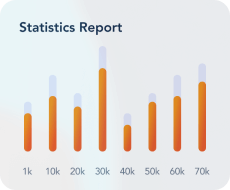
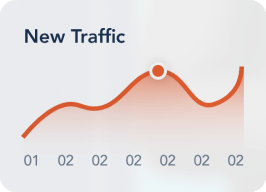
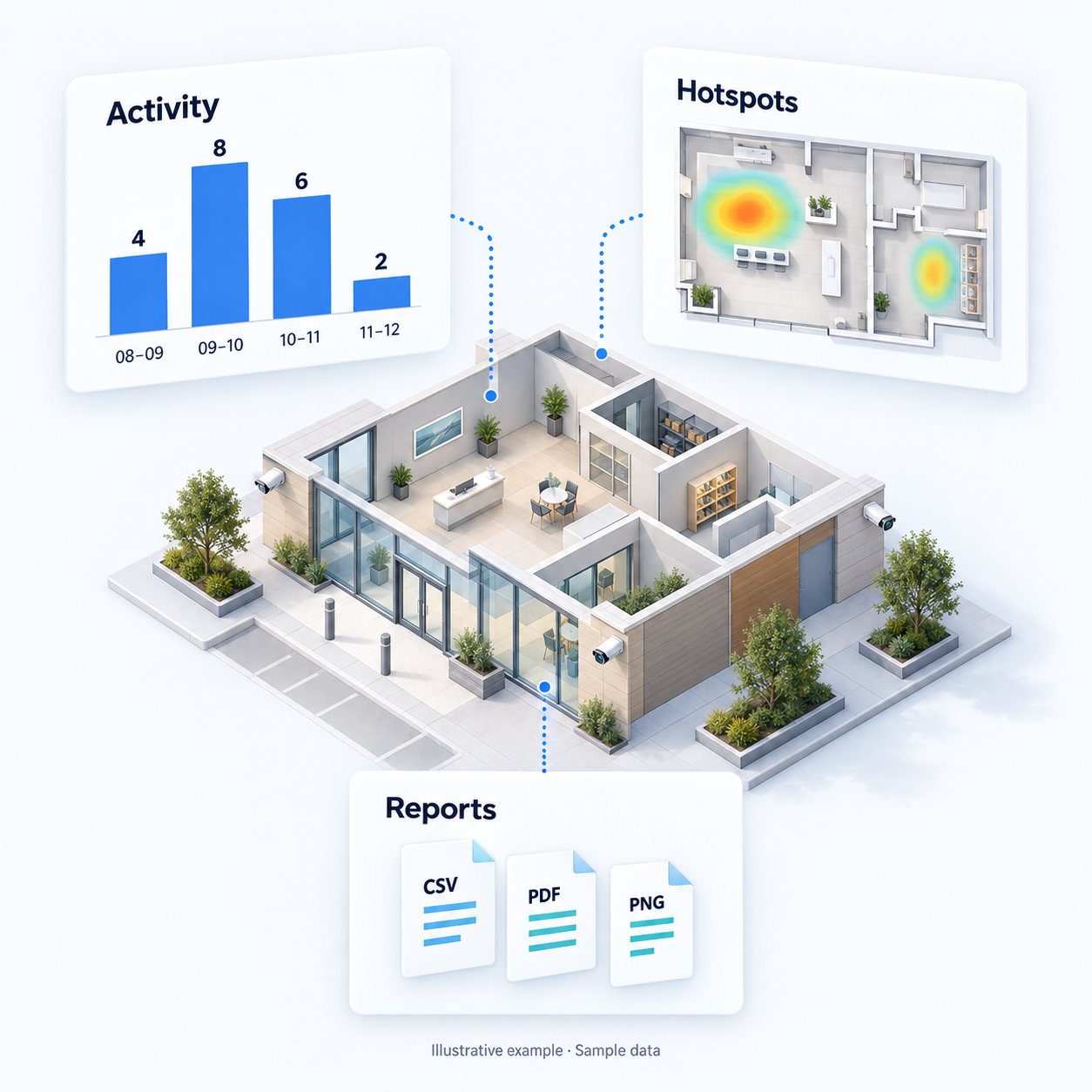

Use video heat maps to understand where detections occur. Bring that context into conversations about camera coverage and how a space is used.
Users can pin their most-used widgets, choose date range presets, and tailor the view to their needs. Use timelines and grouped detections to understand activity during a selected period and focus your team’s follow-up review.
Every view, chart, and table can be exported as CSV, PDF, or PNG — perfect for sharing and reporting. Colleagues can use the findings in planning and incident-review discussions.
Bring reporting into your customer conversations. Add meaningful, high-impact reporting to your VMS offering with minimal effort.
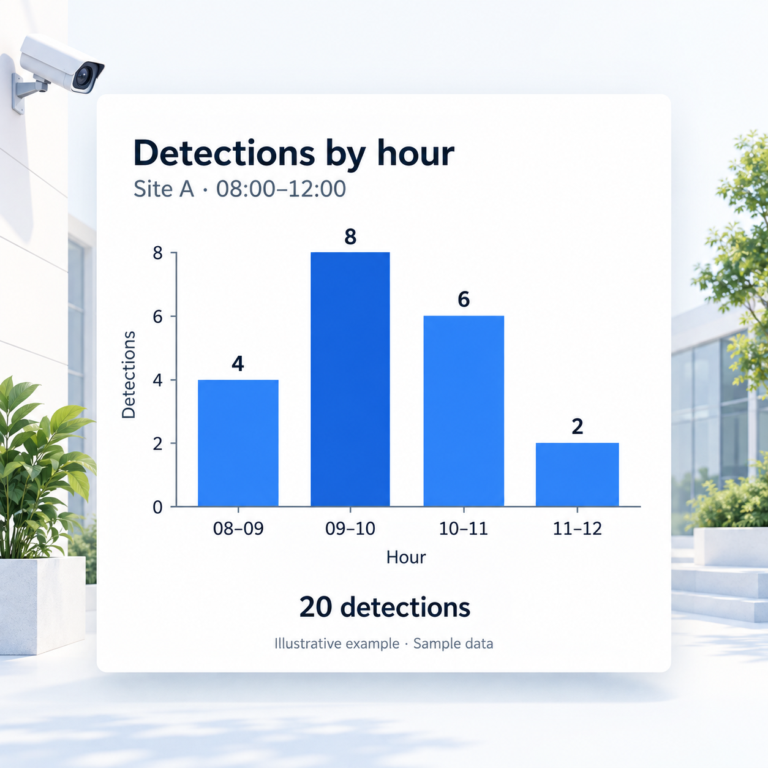
See how detections are distributed across a selected period. Group activity into time intervals to identify busy periods and focus your team’s follow-up review. Track detections over time with an interactive line or bar chart.
👉 Identify periods with higher detection activity.
👉 Spot activity & alerting trends by hour, day, or week
👉 Identify high-traffic periods or anomalies
👉 Filter by object type, timestamp, object class, confidence score, camera name, and location
👉 Bulk actions (e.g., export to CSV/Excel, flag events)
👉 Supports proactive investigations & alerting
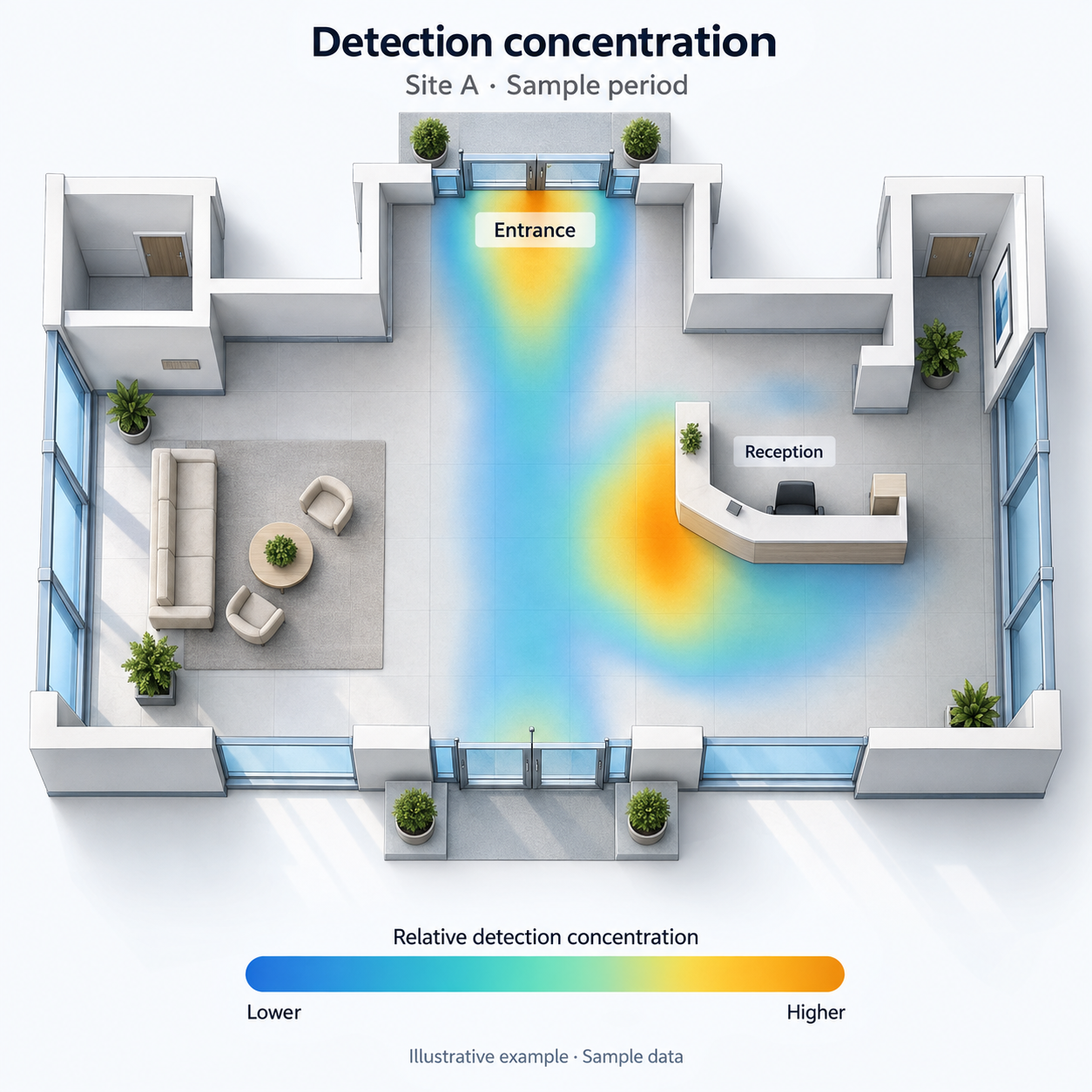
See where detections are concentrated within a monitored area. Use that spatial context to support decisions about camera coverage, space use, and where to focus operational review. Visualize activity intensity directly on camera feeds or site maps and get an at-a-glance view of what’s being detected.
👉 Identify spatial hotspots and areas with concentrated activity.
👉 Optimize camera placement & staff deployment
👉 Get proportions of people, vehicles, and other object types
👉Bring camera-derived context into layout discussions
👉Share a visual summary with your team
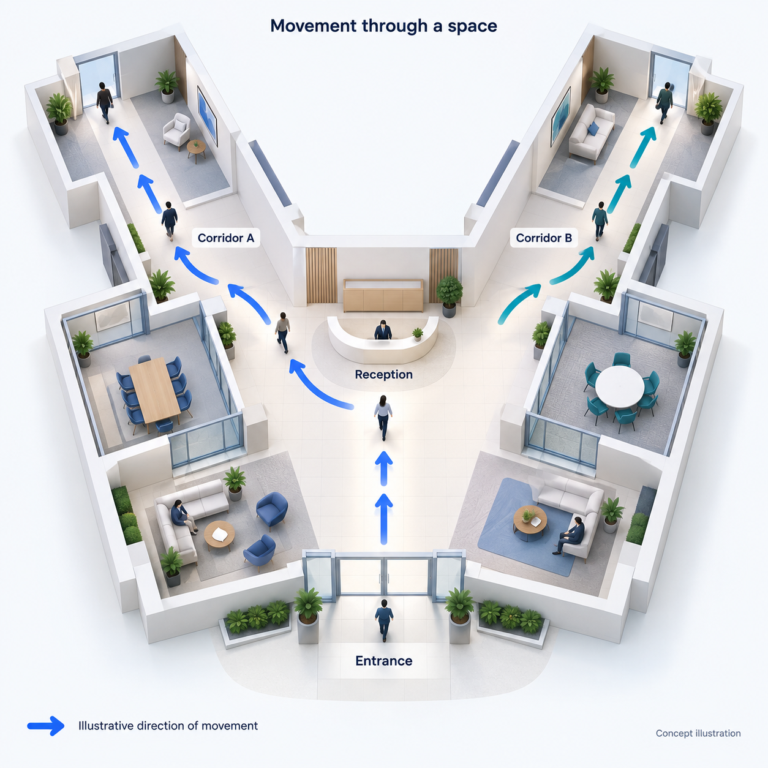
Visualize how people or vehicles move through monitored areas. Use movement patterns to guide a closer review of entrances, exits, and circulation routes.
👉 Understand the direction of movement
👉 Map ingestion and redesign layouts accordingly
👉 Hour/day/week view with frame-based tracing
👉 Review areas where traffic converges
👉 Inform conversations about access and layout
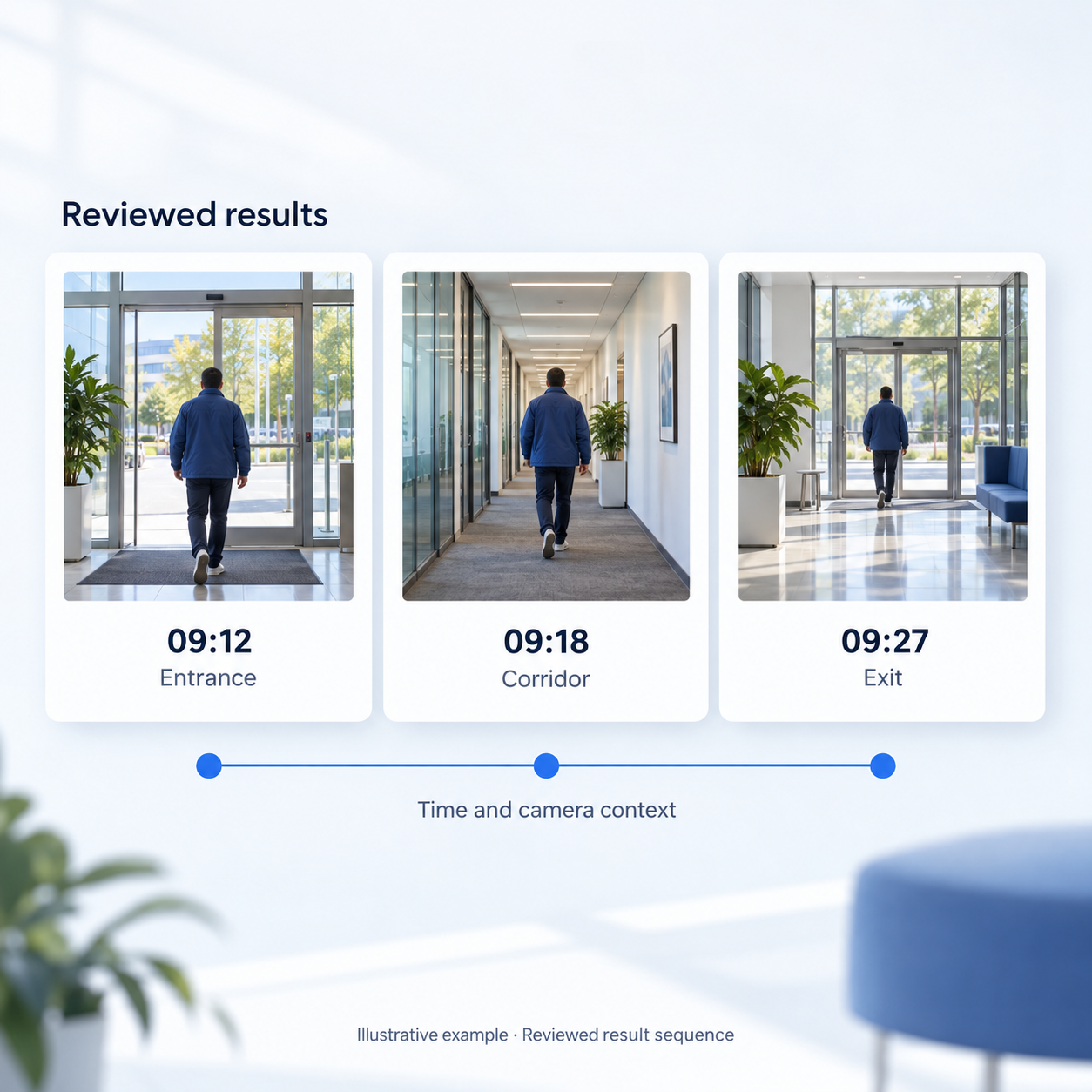
Bring reviewed video-search results together with time, source, and camera context. Build a clearer account of an incident so your team can review the sequence and plan follow-up. Using natural language search and forensic video analytics, EyesOnIt can identify where an individual appeared, track movement across cameras, and help build a chronological timeline of activity tied to supporting video evidence.
👉 Review relevant results in chronological order
👉 Reconstruct a person’s movement across facilities
👉 Organize video evidence by time and location
👉 Reduce manual post-incident video review
👉 Support evidentiary video package creation
👉 Support incident documentation and team handoffs
👉 Keep camera and time context with each result
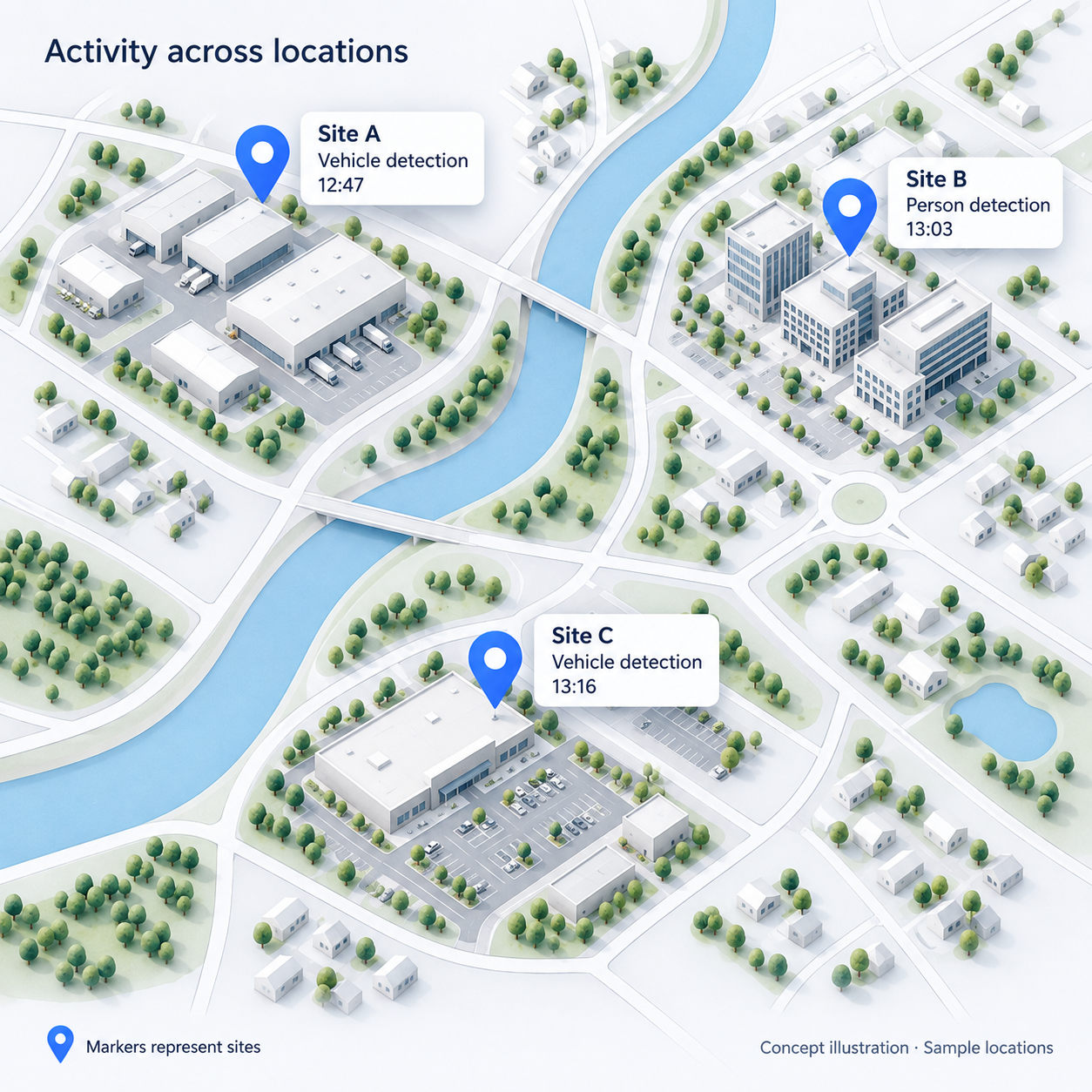
Bring detection activity from multiple locations into a shared map view. See which sites generated detections and give your security and operations teams geographic context for follow-up.
👉Understand activity by location and see which sites are generating detections
👉 Review activity with site and camera context. Ideal for large enterprises with distributed sites
👉 Cluster view for dense locations
👉 Support coordinated follow-up and give distributed teams a shared view of where activity occurred.
Tell us what you want to understand from your camera activity. Our team will follow up to discuss your reporting goals and arrange a relevant demonstration.
What would you like to report on?
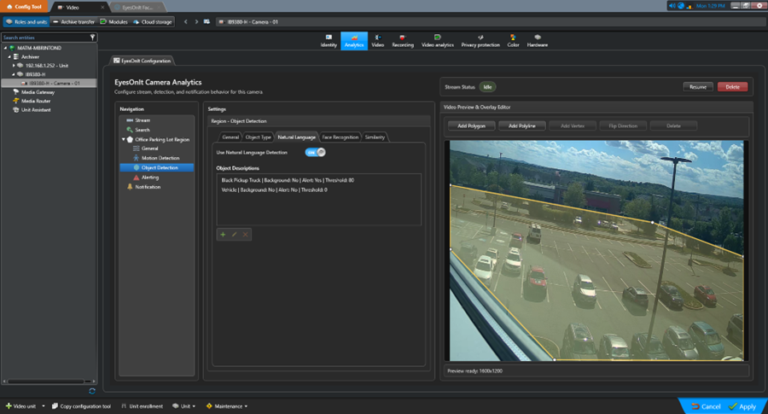
EyesOnIt helps teams review where detections occur and how activity is distributed over time. Heat maps, timelines, and exportable reports provide useful context for operational planning and incident review.
EyesOnIt supports CSV, PDF, and PNG reporting exports. A reporting demonstration can show how the available views and formats fit your team’s review and sharing needs.
Share your camera and VMS environment with the EyesOnIt team. We can review the available integration path and help identify a reporting workflow suited to your setup.
Organize reviewed results with time, source, and camera context to support incident documentation and follow-up. Link this answer to the AI video search feature page for the search workflow.
The EyesOnIt team can demonstrate the reporting functions available for your configuration and discuss any additional reporting requirements. Share the reports you need when requesting your demonstration.
The final availability answer should become more specific once Matt reconciles release scope. Do not use this general answer to conceal restrictions elsewhere on the page.
EyesOnIt can detect events and images using advanced artificial intelligence.
Teams can search by plain-language descriptions such as clothing, objects, locations, activities, vehicles, safety conditions, or suspicious behavior. Example use cases include intrusion review, loitering, PPE checks, smoke or fire indicators, traffic flow, object counts, and person-of-interest workflows.
EyesOnIt is designed to help teams search across authorized camera networks instead of manually reviewing each stream. Results depend on camera count, hardware, configuration, indexing, video quality, and the specific deployment.
EyesOnIt can run in self-hosted or on-site deployments on supported infrastructure. Self-hosted EyesOnIt deployments do not require EyesOnIt cloud video-processing fees. Customer infrastructure, licensing, support, connectivity, and third-party service costs may still apply.
Yes. EyesOnIt can help reduce false alarm workload by validating visual events before teams respond. Instead of relying only on basic motion triggers, teams can define more specific visual conditions so alerts better match the activity they actually care about.
Yes. EyesOnIt supports image-based similarity search where image quality, camera coverage, and indexed data support matching. Teams can use an image or visual reference to help search for similar people, vehicles, or objects across supported video workflows.
EyesOnIt supports face recognition workflows where enabled, approved, and appropriate for the organization. Because face recognition can involve privacy, policy, and legal requirements, each deployment should be reviewed based on the organization’s use case, location, and internal governance.
Share your specific use case for details on how our AI video analytics technology can help. Fill out the form below and a member of our team will be in touch.
© 2026 All Rights Reserved.